


CNC Machinery Automation: How to Scale Wood Production
CNC machinery automation can help woodworking manufacturers increase production without simply adding more operators, more floor space, or more standalone machines.
The biggest gains come when CNC equipment is connected to the rest of the production system.
That means thinking beyond the router itself.
Material storage.
Panel loading.
Nesting.
Machining.
Part unloading.
Edgebanding.
Return conveyors.
Buffer storage.
Dust collection.
And production data all affect how much output a woodworking facility can realistically achieve.
Taurus Craco supplies CNC woodworking machinery along with wood material handling equipment, return systems, panel storage, vacuum lifters, dust collection, and other machinery used to build more automated woodworking production environments.
This guide explains how CNC machinery automation can help cabinet shops, furniture manufacturers, millwork operations, panel processors, and other woodworking businesses scale production more efficiently.
Quick Answer: How Does CNC Automation Scale Wood Production?
CNC automation scales woodworking production by reducing repetitive manual work between manufacturing steps.
A more automated production system can combine:
- Panel storage and inventory handling
- Automatic or assisted machine loading
- CNC nesting and machining
- Automatic tool changing
- Part labeling and identification
- Automated de-stacking
- Conveyors and return systems
- Buffer storage between machines
- Automated edgebanding workflows
- Dust collection controls
- Production software and digital job data
The goal is not to automate every movement immediately.
The goal is to remove the manual steps that limit throughput, create queues, or require operators to spend time moving material instead of producing parts.
Why CNC Automation Matters as Production Grows
A woodworking shop can often increase output initially by adding people.
But eventually labour alone stops solving the underlying production problem.
One operator loads sheets.
Another unloads parts.
Someone moves panels to the edgebander.
Another person returns finished components.
Parts wait in stacks between machines.
The CNC may be capable of machining more work, but it spends too much time waiting for material.
At that point, the real bottleneck is no longer machining speed.
It is material flow.
Taurus Craco's article on how CNC woodworking machines improve production speed explains how CNC reduces manual production steps. The next stage of growth is connecting those faster CNC processes to a more efficient production system.
Automation Starts Before the CNC Machine
Many shops think automation begins when the cutting tool starts moving.
In reality, automation can begin much earlier.
Before a sheet reaches the CNC, it may need to be:
- Located in inventory
- Retrieved from storage
- Moved across the shop
- Lifted
- Oriented correctly
- Loaded onto the machining table
If every sheet requires several minutes of manual handling, CNC cycle time is not the only production metric that matters.
This is where automated or assisted panel storage and material handling can become valuable.
1. Automate Panel Storage and Retrieval
Growing panel-processing operations often manage increasing quantities of plywood, MDF, particleboard, melamine, laminates, and other sheet materials.
Manual stacks can create several problems:
- Operators searching for the correct material
- Repeated forklift movement
- Panels being moved to reach material underneath
- Damage during manual handling
- Excess floor space used for storage
- Slow loading of downstream machinery
Automated storage can turn panel inventory into part of the production system.
The Barbaric CSF Professional Panel Storage System is one example available through Taurus Craco. It is designed around automated panel storage and retrieval, material-flow optimization, inventory handling, and feeding production equipment.
For higher-capacity operations, the Barbaric CSF Industrial Panel Storage System provides an industrial panel-handling platform for larger storage and production environments.
Shops where floor space is a constraint can also evaluate the Barbaric CSF Multilevel Panel Storage System, which uses vertical building height to increase storage capacity.
Why does automated panel storage improve CNC productivity?
The CNC can only machine material when material is available.
If panel retrieval becomes faster and more predictable, the machine spends less time waiting for an operator, forklift, or manual storage process.
2. Reduce Manual Loading With Material Handling
A full sheet can be awkward and physically demanding to move repeatedly.
As daily panel volume increases, manual loading can consume substantial operator time.
Taurus Craco's wood material handling equipment includes panel storage, lifting systems, worktables, vacuum handling, transfer solutions, and other equipment designed to move workpieces through production.
Wood vacuum lifters can help operators lift and position suitable panels, doors, and components around saws, CNC machines, edgebanders, storage, and assembly areas.
Material handling automation can provide value even if the CNC itself does not change.
If the same machine can be loaded faster, unloaded faster, and supplied more consistently, usable production capacity can increase.
3. Use Nesting CNC for Automated Panel Production
Nesting CNC is one of the foundations of automated cabinet and panel production.
A full sheet is loaded onto the machine.
Software arranges multiple components across the available material.
The CNC then performs programmed cutting and machining operations.
This may include:
- Part cutting
- Routing
- Grooving
- Drilling
- Pocketing
- Hardware preparation
- Component profiling
Taurus Craco offers flat-table nesting CNC machines for production environments that process sheet goods and panel components.
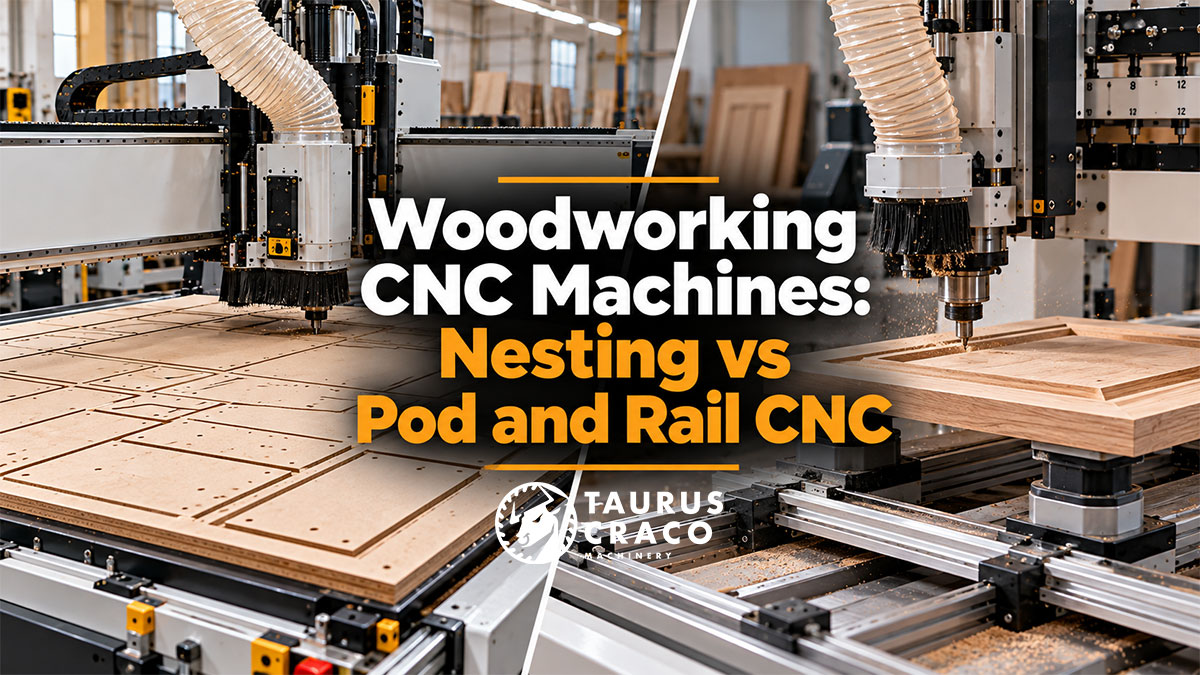
If you are comparing CNC architectures, see Woodworking CNC Machines: Nesting vs Pod and Rail CNC for a more detailed explanation of how the two workholding systems differ.
4. Automatic Tool Changing Reduces Manual Intervention
A CNC program may require several cutting tools during one job.
For example:
- A compression cutter for panel cutting
- A smaller router bit for detail work
- A drill for hardware holes
- A grooving tool
- A profile cutter
An automatic tool changer allows the CNC to switch between configured tools during the machining program without requiring an operator to manually change every cutter.
This can reduce interruptions and make multi-operation machining more practical.
The best configuration depends on the number of tools used regularly, production mix, machining complexity, and required cycle time.
5. Automate Part Removal After Nesting
A CNC can finish a nest quickly and still sit idle while operators identify, remove, sort, and stack the resulting components.
That makes unloading another important automation opportunity.
The Barbaric NESTING PICKER NST is designed to automate de-stacking and clearing of finished parts after nesting machining.
Instead of treating unloading as a completely manual process, finished components can be identified, picked, and organized as part of a more automated cell.
This is particularly relevant to high-volume cabinet and furniture operations where each nest may contain many different parts.
6. Use Part Identification to Keep Production Organized
As CNC output increases, identifying parts becomes more important.
One cabinet job may include dozens or hundreds of components that look similar.
Without a reliable identification method, productivity gained during CNC machining can be lost later during sorting and assembly.
A digital production workflow may use labels or production data to associate each component with information such as:
- Job number
- Cabinet number
- Part name
- Material
- Edge requirements
- Drilling operations
- Assembly destination
The more automated production becomes, the more important accurate digital information becomes between manufacturing stages.
7. Connect CNC Output to Edgebanding
Increasing CNC capacity without increasing downstream capacity can simply move the bottleneck.
This happens frequently in cabinet production.
The CNC begins producing panels faster.
Then stacks form in front of the edgebander.
Professional woodworking edgebanders can automate multiple edge-finishing steps, including adhesive application, trimming, scraping, corner finishing, and buffing depending on machine configuration.
But even an automated edgebander still requires material to be fed, received, and often returned for additional edges.
That makes return automation another important part of scaling.
8. Add Return Conveyors for One-Operator Production
Without a return system, an operator may feed a panel into the edgebander, walk to retrieve it, reposition it, and bring it back for another edge.
Repeat that hundreds of times and material movement becomes a major labour requirement.
Taurus Craco's feeders and return conveyors are designed to improve movement around edgebanders, sanders, shapers, saws, moulders, and other woodworking machinery.
The Barbaric RTS Compact Return System, for example, is a standalone return system that can be integrated with an edgebander to return processed parts toward the operator.
This can help convert an equipment upgrade into a labour-flow improvement rather than simply making the machine itself faster.
9. Buffer Storage Prevents One Machine From Stopping Another
Machines rarely operate at exactly the same cycle time.
The CNC may finish parts faster than the edgebander can process them.
The edgebander may temporarily stop for a tooling or material change.
A downstream machine may require a different production sequence.
If every machine must operate in perfect synchronization, one interruption can affect the entire line.
The Barbaric PBX Buffer Storage is designed to provide intermediate part storage within a production flow.
Buffering allows components to be temporarily stored between processes so machines with different cycle times do not have to operate as one rigid chain.
Why is buffer storage important in automation?
A buffer gives the production system flexibility.
Instead of forcing one machine to wait immediately when another process slows down, parts can be accumulated, organized, and released according to downstream capacity.
CNC Automation Workflow Example
A highly automated panel-production workflow may look like this:
Automated Panel Storage → Panel Retrieval → CNC Nesting → Part Identification → Automated De-stacking → Buffer Storage → Edgebanding → Return Conveyor → Drilling / Assembly
Not every shop needs every stage.
The value comes from automating the transitions that currently require the most time and labour.
Manual CNC Cell vs Automated CNC Cell
| Production Stage | Manual CNC Cell | More Automated CNC Cell |
|---|---|---|
| Material Storage | Manual stacks or racks | Organized or automated panel storage |
| Material Retrieval | Forklift or manual handling | Automated retrieval or vacuum handling |
| CNC Loading | Manual loading | Assisted or automated loading |
| Machining | CNC programmed | CNC programmed with automated tool changes |
| Part Removal | Operator unloads and sorts | Automated de-stacking or conveyor handling |
| Part Identification | Manual sorting | Digital job data and labeling |
| Between Machines | Stacks and carts | Conveyors and buffer storage |
| Edgebander Return | Operator retrieves parts | Automated return system |
10. Scale Dust Collection With CNC Capacity
Automation can increase the amount of material processed per shift.
That can also increase the volume of chips and fine particulate entering the extraction system.
A growing CNC department therefore requires an appropriately designed woodworking dust collection system.
Evaluate:
- Machine airflow requirements
- Number of machines operating simultaneously
- Duct diameter
- Static pressure
- Blast-gate control
- Filter capacity
- Waste discharge
- Future CNC or sanding additions
Production automation should not outgrow supporting infrastructure.
11. Use Production Data to Find the Next Bottleneck
A shop should not automate based solely on what looks slow from the production floor.
Track measurable indicators.
Useful metrics may include:
- CNC spindle utilization
- Load and unload time
- Average setup time
- Parts produced per shift
- Machine waiting time
- Operator handling time
- Queue size between machines
- Edgebander utilization
- Rework
- Scrap
- Order lead time
The next automation investment should target the process with the largest measurable effect on total output.
12. Do Not Automate a Bad Workflow
Automation can make a good process faster.
It can also make an inefficient process faster without fixing the underlying problem.
Before adding conveyors, robots, storage systems, or automated handling, examine the production layout.
Ask:
- Are machines arranged in a logical sequence?
- Do parts travel backward across the shop?
- Is material stored close to the machines using it?
- Are operators crossing each other's work areas?
- Are completed parts waiting in uncontrolled stacks?
- Does one machine regularly wait for another?
Taurus Craco's guide to woodworking machinery for manufacturing shops explains why equipment should be evaluated as part of the complete production workflow rather than as independent machines.
How Much Automation Does a Woodworking Shop Need?
Automation should match production volume and business requirements.
A smaller custom shop may need:
- A CNC router
- An automatic tool changer
- A vacuum lifter
- An edgebander return system
A medium-size production shop may add:
- Panel storage
- Automated material retrieval
- Part labeling
- Return conveyors
- Buffer storage
A high-volume manufacturer may build around:
- Automated panel storage
- Automatic CNC loading
- Nesting cells
- Automated de-stacking
- Conveyor networks
- Buffer systems
- Automated edgebanding
- Integrated production software
The most automated solution is not automatically the best solution.
The best system is the one that delivers enough capacity without creating unnecessary complexity.
When Should a Shop Automate CNC Production?
Automation becomes increasingly valuable when:
- CNC machines spend too much time waiting for material
- Operators spend substantial time loading and unloading
- Part sorting limits downstream production
- Material handling requires multiple employees
- Panel storage is consuming excessive floor space
- Finished parts regularly queue between machines
- The edgebander requires two operators because of part return
- Production volume is increasing faster than available labour
- Existing machinery has unused capacity because supporting processes are too slow
Taurus Craco's CNC woodworking machinery for high-volume production article provides additional guidance for manufacturers evaluating CNC capacity at larger production volumes.
Can Automation Reduce Labour Requirements?
Automation can reduce the amount of repetitive manual handling required per part.
That does not necessarily mean eliminating people from production.
Instead, operators can spend more time on:
- Machine supervision
- Quality control
- Setup
- Maintenance
- Programming
- Assembly
- Problem solving
The objective is to use skilled labour where human judgment creates the most value rather than using labour primarily to carry panels between machines.
CNC Machinery Automation Checklist
Before building a more automated CNC workflow, evaluate:
- Current CNC utilization
- Daily sheet and part volume
- Material storage method
- Panel retrieval time
- Loading and unloading time
- Part identification process
- Downstream edgebanding capacity
- Buffer requirements
- Material handling routes
- Dust collection capacity
- Compressed air requirements
- Electrical capacity
- Software integration
- Operator training
- Future production targets
Common CNC Automation Mistakes
- Buying a faster CNC without fixing loading delays
- Automating the CNC while ignoring downstream bottlenecks
- Adding conveyors before fixing the production layout
- Underestimating storage requirements
- Ignoring part identification and tracking
- Failing to plan dust collection for higher throughput
- Buying automation based only on theoretical machine speed
- Ignoring maintenance access
- Failing to train operators and programmers
- Trying to automate every process at once
How to Scale CNC Automation in Stages
Many shops do not need to build a fully automated production line in one investment.
A staged strategy can be more practical.
Stage 1: Automate Machining
Add the right CNC machinery and digital programming.
Stage 2: Improve Loading and Handling
Add vacuum lifting, better panel storage, or assisted material handling.
Stage 3: Improve Downstream Flow
Add edgebanding capacity, return conveyors, and organized part movement.
Stage 4: Add Automated Storage and Buffering
Integrate panel storage, intermediate buffers, and more structured production logistics.
Stage 5: Connect Production Data
Use digital job information to coordinate material, part identification, machining, and downstream operations.
This approach allows the business to automate around proven production needs rather than guessing what a future factory may require.
Final Thoughts
CNC machinery automation is not just about making the router move faster.
It is about reducing the time between useful machining cycles.
A CNC machine that spends less time waiting for material can produce more.
An edgebander with an efficient return system can require less repetitive handling.
Automated panel storage can improve material availability.
De-stacking systems can reduce unloading labour.
Buffer storage can prevent one machine from unnecessarily stopping another.
When these systems work together, automation becomes a production strategy rather than a collection of individual machines.
Taurus Craco Machinery supplies woodworking machinery and automation equipment for cabinet manufacturers, furniture producers, architectural millwork operations, panel processors, door manufacturers, and other woodworking businesses looking to increase capacity and build more efficient production systems.
Frequently Asked Questions
What is CNC automation in woodworking?
CNC automation in woodworking combines computer-controlled machining with supporting systems such as automatic tool changing, material handling, panel storage, loading, de-stacking, labeling, conveyors, return systems, and production software to reduce manual work throughout the manufacturing process.
How can CNC automation increase woodworking production?
CNC automation can increase production by reducing setup, loading, unloading, sorting, material handling, and machine waiting time. The greatest gains often come from improving the complete workflow around the CNC rather than focusing only on cutting speed.
What should a woodworking shop automate first?
Start with the process creating the largest measurable bottleneck. For some shops that is CNC machining. For others it may be panel loading, part unloading, edgebander returns, material storage, or movement between machines.
Can an existing CNC machine be integrated with automation?
In some cases, yes. Existing CNC installations may be able to work with material handling, de-stacking, storage, conveyor, or production-data systems depending on the machine, available interfaces, floor layout, and automation requirements. Compatibility should be evaluated before purchasing supporting equipment.
Does a small woodworking shop need full CNC automation?
No. Smaller shops can automate selectively. A CNC router, automatic tool changer, vacuum lifter, organized panel storage, or edgebander return system may remove important bottlenecks without requiring a fully integrated production line.